This course helps mechanical electrical and plumbing engineers to get up-to-speed with Revit software. It starts by introducing the Revit and building information modelling (BIM) technology. First you will explore the steps to install the program. Next you will discover how to open the software and recognise the user interface. This modelling software enables us to control the ‘saving’ reminder alert assign default view discipline to ‘display’ select the ‘discipline’ tool to display in the ribbon apply colour theme and customise the keyboard shortcuts. It is also possible to control the working of a double-click mouse improve the performance of graphics and place the location of ready-made templates and ‘library’ files. All of these are available in the ‘options’ dialogue and you will discover how to manage and use them properly. Finally investigate the different methods of opening a standalone file and the option for specifying starting view at the ‘project’ user interface.The following section examines the various elements in Revit. You will discover the three types of elements in the project and how to make relations between them using constraints. Every feature you place in a drawing has two sets of properties that control their appearance and behaviour and you will explore how to use them properly. Next we explain the methods of selecting elements in a linked model and how to prevent them from moving. In addition we discuss the ways of choosing them by face using a filter. One of the most important keys on the keyboard is the ‘tab’ key and you will use it to speed up work on a project. Following that learn how to create save and modify a selection.Become familiar with the creating and editing tools in Revit software to navigate a model orient a 3D view control view create and manipulate elements. Use the ‘modify’ tools to adjust and manipulate elements in the drawing area and achieve the desired design for the building model. Many of these tools are available on the ‘modify’ tab of the ribbon including the ‘move’ ‘copy’ ‘delete’ ‘trim’ and ‘mirror’ tool which we will describe. Learn how to set up a project by adding project information and linking it to a ‘host’ model. Discover how to copy and monitor levels to track any changes in the model and create ‘floor’ and ‘ceiling plan’ views. We finally end by teaching you to create new views using three types of duplicating options. Sign up for this course right away and put the knowledge you acquire to work for you.
Revit 2017 for MEP Engineers (Introduction)
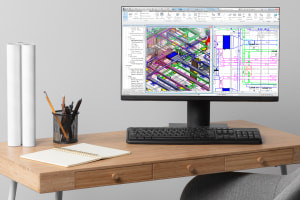
Revit 2017 for MEP Engineers (Introduction)
Sold by:
Similar Products










Sponsored
Filorga Oxygen-Peel Re-Oxygenating Micropeeling Lotion 150 Ml$36.00List: $45.00






Sponsored
Elizabeth Arden Red Door Eau De Toilette Spray 30ml$42.00List: $52.00

Compare prices from 2 stores


Sponsored
Hugo boss Hugo Gift set eau de toilette 75 ml and deospray 150 ml - 75 ml$79.00List: $99.00

Compare prices from 2 stores