This free online course illustrates various techniques of creating great thumbnails. It is specifically designed for art teachers creative minds content creators and graphic or web design students to cover all aspects of thumbnails. Teachers and experienced users who enrol will refresh their knowledge with improved CorelDRAW content. You will learn about the key elements for creating quality thumbnails and be exposed to different solutions to problems around both contrast and lighting edits. A ‘thumbnail’ is a small image representation of a larger image. In this course you will learn about the characteristics of good thumbnails. They are often the first impression of the product we get from the product preview that influences our decision to buy or not. This course also outlines the advantages of thumbnails. You will see how to create quality thumbnails for Facebook YouTube and other platforms.Depending on your photo-editing expertise creating custom thumbnails can either be quick and simple or quite complex. It can sometimes be a struggle to choose both the right format and template as well as the appropriate types of images. This course covers in detail the major difference between vectors and JPEGs. Have you tried to resize JPEGs and vectors respectively? The ability to enlarge them without distortion is a huge benefit. Though vector graphics are not perfect they have some advantages over JPEGs. You will learn about resizing and editing pictures by pushing up the contrast. You will also learn how to choose layout frames and use intersect tools as well as mirror images in ways that allow spaces for time stamps and fonts on thumbnails. Your goal is to create a clear thumbnail that stands out. This course helps you achieve that by taking you through some image-editing techniques like drop shadows.It is important that you use the right kind of font along with modes during your design creation process. CorelDRAW includes pattern fills texture fills and curve tools that make it easy to manipulate thumbnails. The material discusses the most appropriate ways to name and save thumbnails for search engine optimization (SEO). This enables potential users to easily find your thumbnail among others on the Internet. The sections that follow cover in detail exporting thumbnails to JPEG and creating separate vectors while using them to assemble the font. Upon successful completion of the required modules you will be conversant with CorelDRAW along with its functions.
Creating Quality Thumbnails Using CorelDRAW
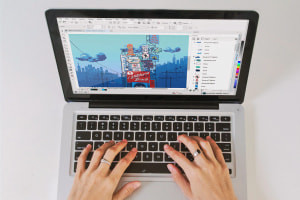
Creating Quality Thumbnails Using CorelDRAW
Sold by:
Similar Products